# Collection System

<figure><img src="https://571304734-files.gitbook.io/~/files/v0/b/gitbook-x-prod.appspot.com/o/spaces%2FshPSNEyqAuSjOWuAbIAW%2Fuploads%2Fgza0mGg0gFnJiJyPgFkZ%2FUPDATE_COLL_SYSTEM.png?alt=media&#x26;token=2f4b1b8c-2307-4aee-a32e-dd56c3d799b3" alt="" width="375"><figcaption></figcaption></figure>

**Introducing the Collection System** — collect costumes and gain bonus stats for your character.

### ⚠️ Important Notes

* Collection bonuses apply to **all characters within the same ID**.
* <mark style="color:orange;">For now, costumes that have already been collected</mark> <mark style="color:orange;"></mark><mark style="color:orange;">**cannot be retrieved**</mark>, so please be careful.

***

### &#x20;:unlock: **How to Access**

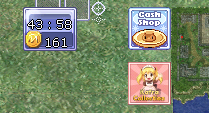
Open the <mark style="color:$danger;">**Collection**</mark> menu ( top right, near the Cash Shop ).

<figure><img src="https://571304734-files.gitbook.io/~/files/v0/b/gitbook-x-prod.appspot.com/o/spaces%2FshPSNEyqAuSjOWuAbIAW%2Fuploads%2FNlykzXDeXcaEKbdZAt5c%2Fimage.png?alt=media&#x26;token=d5a134e1-4898-420e-8dc1-bbffad93b448" alt=""><figcaption></figcaption></figure>

<figure><img src="https://571304734-files.gitbook.io/~/files/v0/b/gitbook-x-prod.appspot.com/o/spaces%2FshPSNEyqAuSjOWuAbIAW%2Fuploads%2F55LDBqFZa63Q3XsMVWKC%2Fimage.png?alt=media&#x26;token=9c951858-5b7b-4bab-b498-3e7d41489f40" alt=""><figcaption></figcaption></figure>

***

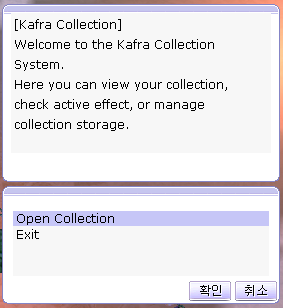
The interface you will see is similar to <mark style="color:$danger;">**Kafra Storage**</mark>.\
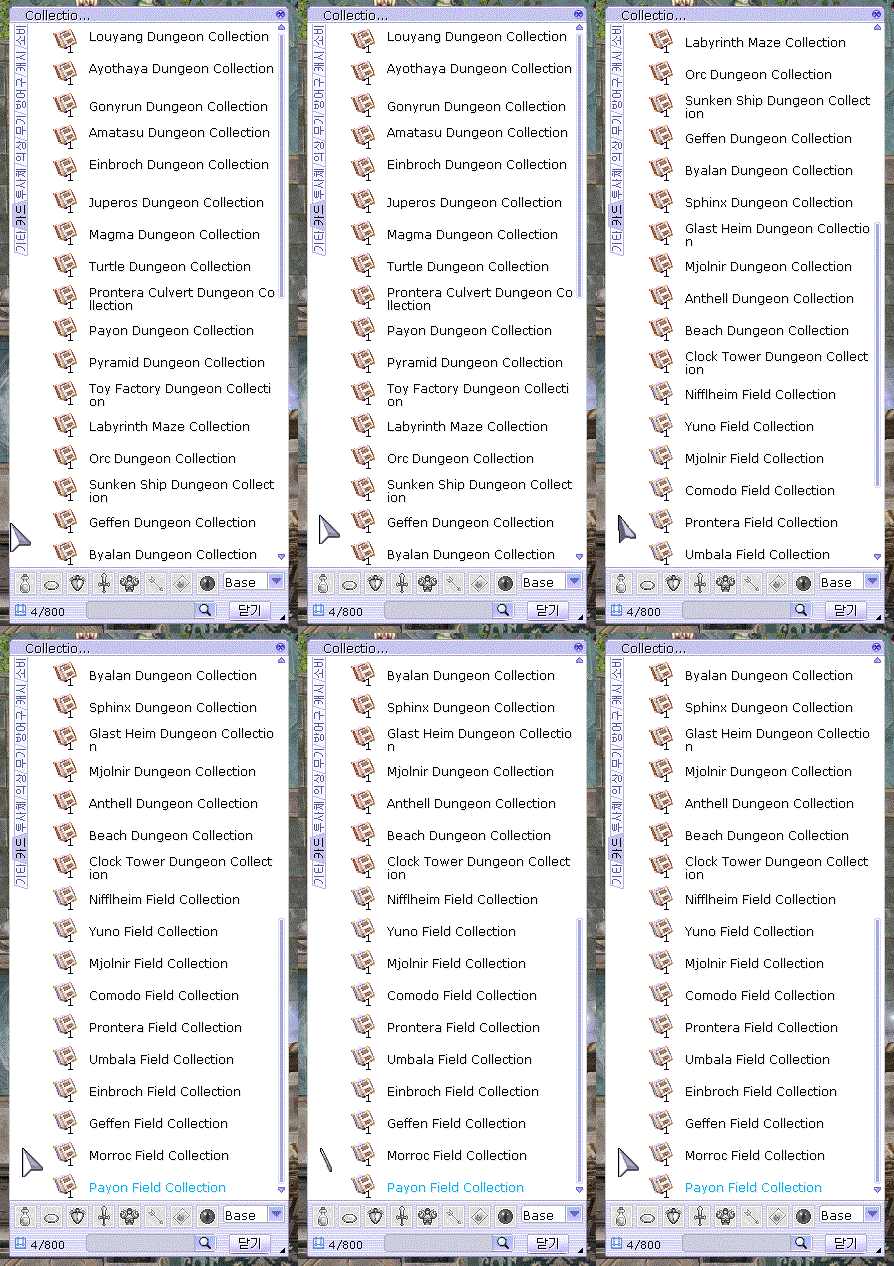
It displays a list of **collectible** [<mark style="color:$warning;">**Area Collection Maps**</mark>](https://aorxog.gitbook.io/wiki/rog-special-feature/mall-room/central-area/collection-system/area-collection) and [<mark style="color:$success;">**Kafra Designer Costumes**</mark>](https://aorxog.gitbook.io/wiki/rog-special-feature/mall-room/central-area/collection-system/kafra-designer) that can be deposited. Any collection items you already own will be **highlighted in&#x20;**<mark style="color:blue;">**blue text**</mark>, making them easy to identify.

<div><figure><img src="https://571304734-files.gitbook.io/~/files/v0/b/gitbook-x-prod.appspot.com/o/spaces%2FshPSNEyqAuSjOWuAbIAW%2Fuploads%2FmgNOhtSjW8KoEWQs5bfH%2Fdistrictcollection.gif?alt=media&#x26;token=a1f48f6e-2e5e-4bbc-b731-f09f582f1690" alt=""><figcaption></figcaption></figure> <figure><img src="https://571304734-files.gitbook.io/~/files/v0/b/gitbook-x-prod.appspot.com/o/spaces%2FshPSNEyqAuSjOWuAbIAW%2Fuploads%2FB8mZQRxSgC585CpkPj6V%2Fkafracollect.gif?alt=media&#x26;token=75676d86-62f0-4b07-9251-729406e742cb" alt=""><figcaption></figcaption></figure></div>

{% hint style="success" %}
Simply right-click items in the Collection Storage to view the available stat bonuses.
{% endhint %}